Semantic elements are the key definitions to the content in your code – they make it so both the browser and the developer know what the content within the tag is.
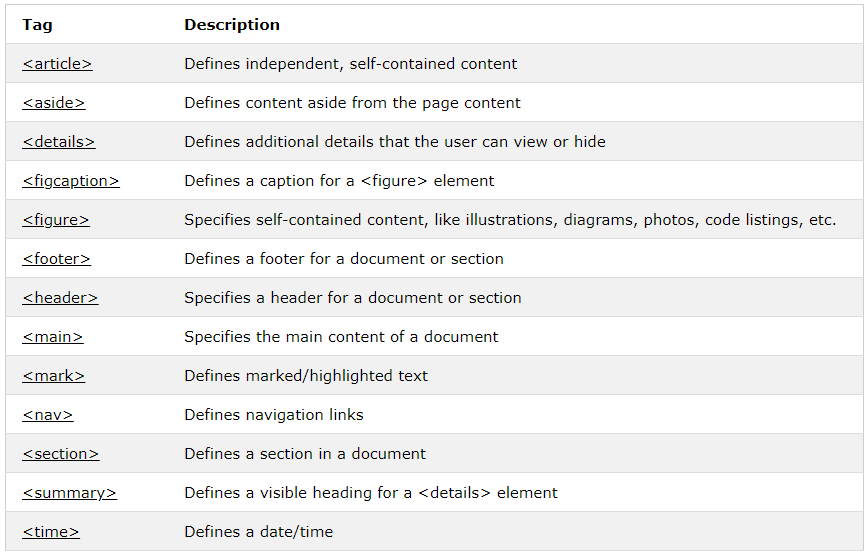
They are split into sections called “blocks”. Below is a table form W3Schools that lists each semantic element and its basic function. I will explore each of these elements as I modify my first html page.
<article> & <section>
The article element is a block of self-contained content like a blog post or newspaper article. The section element is just that – a section of a document sharing thematic elements throughout. So far, all of the paragraph tags and the bio image could be classified as a section since it is an “about me”.


This is not a big change at all, but on a page with lots of information it can be helpful to separate and define the elements.
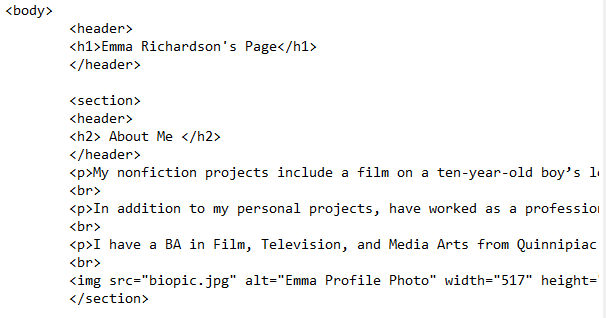
<header>
The header element is where the heading, logo, and basic information (like date, author, ect.) would go. In my current code there is a heading, but there is no semantic tag to point it out. I added a header to both the page’s header and to the “About Me” section.
<footer>
The footer houses information like the author, contact info, a sitemap, and more. For my footer I will add links to my WordPress, LinkedIn, and YouTube.
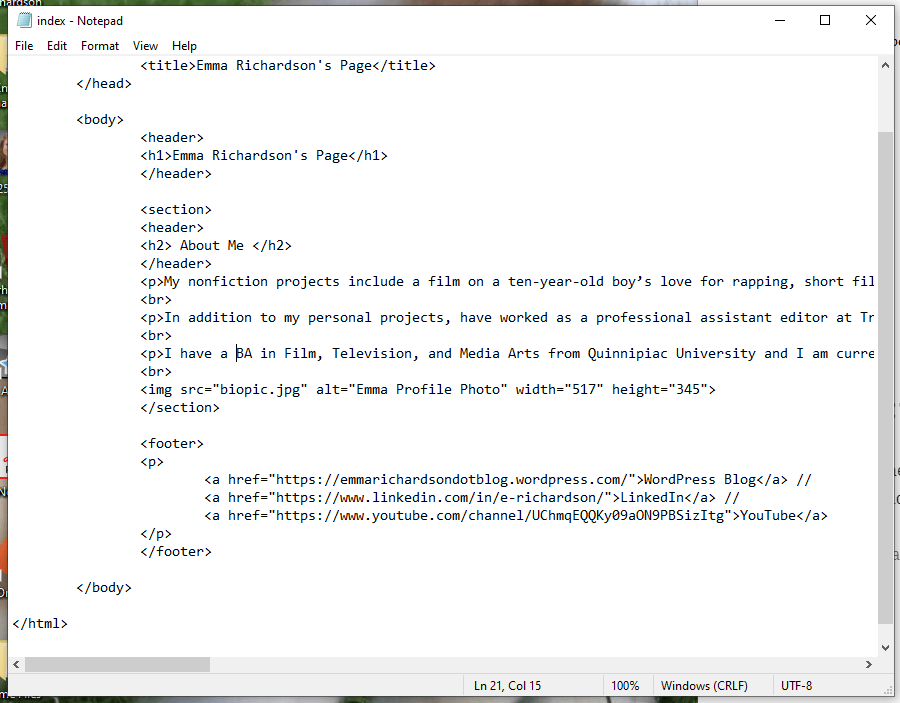
Be sure to test the links as you go by keeping the html file open in you web browser and refreshing as you make changes. I almost included a broken link because I didn’t include the “https://” before – something that I would not have realized had I not checked.
<nav>
The navigation element is for navigation links. These do not need to be all of the links in a page – just the ones that should be easily accessible from the get-go. In my page I will simply include the html pages I have made so far.

<aside>
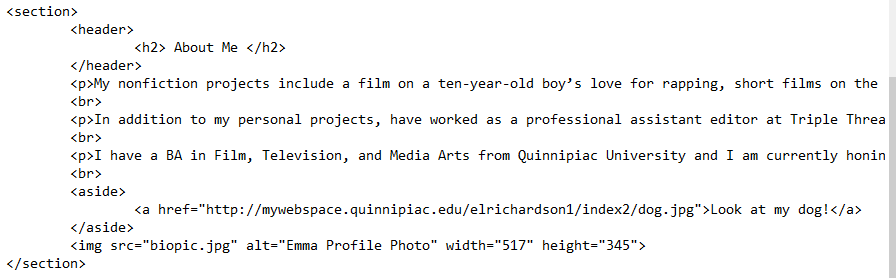
The aside element contains content that is not directly related to the content at hand. Without CSS it looks just like the rest of the text, but with CSS elements you can easily distinguish it with different formatting. Check out the before and after example that W3Schools gives to see the difference CSS makes. I will throw in an aside to a new page containing a picture of my dog.
<figure> & <figcaption>
The figure and figure caption elements define a graph, table, or image and it’s caption. While I would not normally call a profile photo a “figure”, for the sake of learning semantics I will.

And now we have a basic HTML page with semantics!
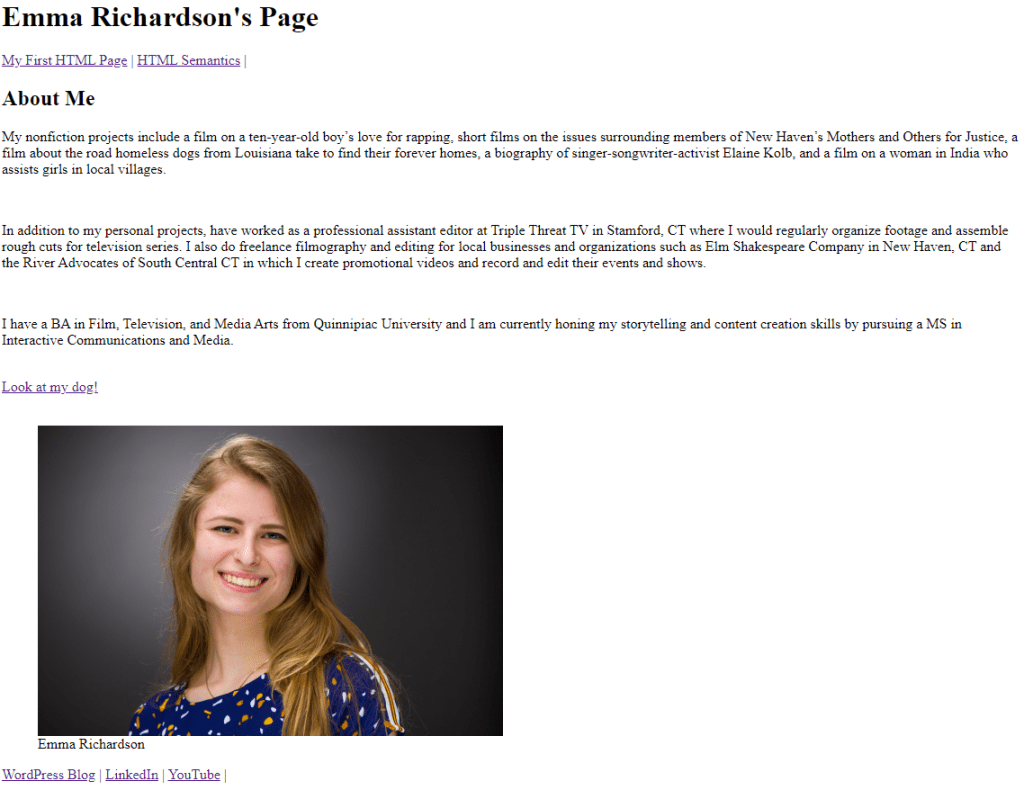
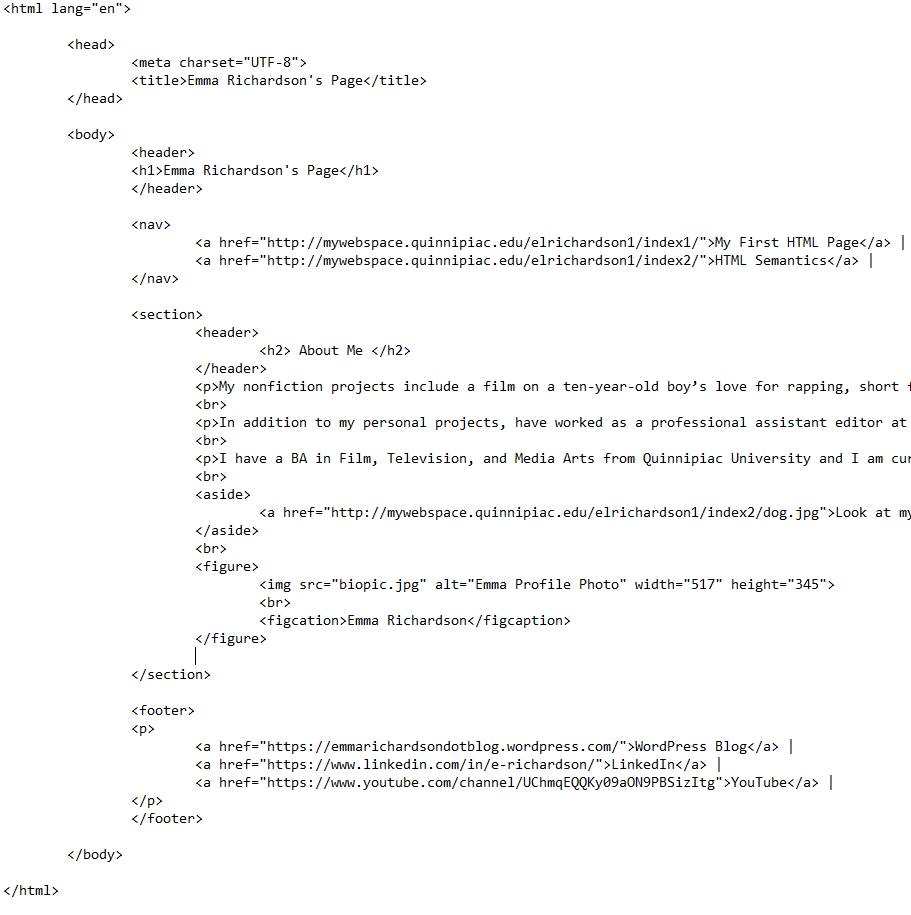
Although there was little visible change from the first page, the code is much more clear-cut for the developer. Follow my posts to join me on my journey of basic web development and see my pages become more elaborate as I explain on the way!
 Emma Lao
2 responses to “HTML5 Semantics: Step Up Your HTML Coding”
[…] just like that, here it is. It still does not look like much, however. Check out my blog post explaining HTML Semantics where I add more elements to the page and explain how they were done along the […]
LikeLike
[…] the HTML code you should be taking advantage of the header tags and title tag. As a quick reminder the header tags are in the <body> of the code and will be […]
LikeLike