This week I learned the process of storytelling and storyboarding in animation and explored the world of cinemagraphs. I even made a few of my own!
Reading & Writing: Storytelling & Storyboarding
The second chapter of the book Animated Storytelling: Simple Steps for Creating Animation & Motion Graphics by Liz Blazer is all about storytelling for animation. While you may already feel like you have the story down after coming up with the idea there is a lot of work to do – the most difficult being reeling in your imagination so that you can make sure that every moment has a purpose.
The first step to honing in your story is writing out all of these moments, also called “beats”. When plotting out your beats, the author suggests using post-it notes so that you are able to move them around to gauge for the most emotional impact. Beats should always push your story forward, so when narrowing down or trying to make your story more concise the best rule of thumb is to see if your story is still progressing without it.
It is at this point that you also want to decide whether to make your story the typical linear three-act structure or if you are inspired enough to make the story non-linear. The three-act structure is much more common. In act one the character and conflict is established, in act two the character works towards a solution, and in act three they attain the solution. A nonlinear story can employ a multitude of different structures, including:
- book-ending: the end and the beginning meet
- countdown: each beat is elevated in intensity
- puzzle: information is withheld from the viewer and revealed little by little
- beaded necklace: non-diegetic elements like voice-over, sounds, and music guide the viewer through chaos
Once the structure has been determined and the beats have been plotted out, it is time to build a storyboard, which is covered in chapter three of the book. The basic idea of creating a storyboard is to create rough sketches (called thumbnails) of each moment in your story with dialogue or a brief explanation written below it.

While is is still technically a “rough” sketch, the whole point of the storyboard is to clarify your creation. It is important to keep continuity, framing, and shot composition in mind while trying your best to show some of your style. Once you have drawn each thumbnail it is best to establish a total runtime and figure out the exact timing for each scene. Then you can create an animatic with the exact timing and sounds that will be in your animation.
Research to Inform: Cinemagraphs
This week I am researching and creating cinemagraphs. Cinemagraphs are GIFs that make one or a few elements from a moving image the only moving part while everything else remains frozen. They are also meant to be on an endless loop.

I was drawn to this one instantly because of the technical aspects that must have been involved. This goes far beyond masking out the area where you want movement – this must have been two completely separate videos that were layered onto each other to create this illusion. Getting the reflection of the glass must have taken quite some time!

I chose this because I not only love The Handmaid’s Tale, but because of what they chose to animate. The curtains, her blinking, and the tiny specs of dust make it seem like it is almost a video, but she is so unnaturally still that it cannot be. In this instance it mirrors her situation – being forced into slavery, able to look at the outside but frozen and unable to move to it.

I loved the use of motion in this since it subverts expectations. Typically you would expect the model to be staying still while the cameraman moves frantically around to grab angles, but she is the only moving element.

I love this one because of the atmosphere they created while making it. The train and the river look to be masked out like normal, but the snow was an extra layer that the creator must have chosen to add. It fits that cloudy, grey city in winter atmosphere nicely.
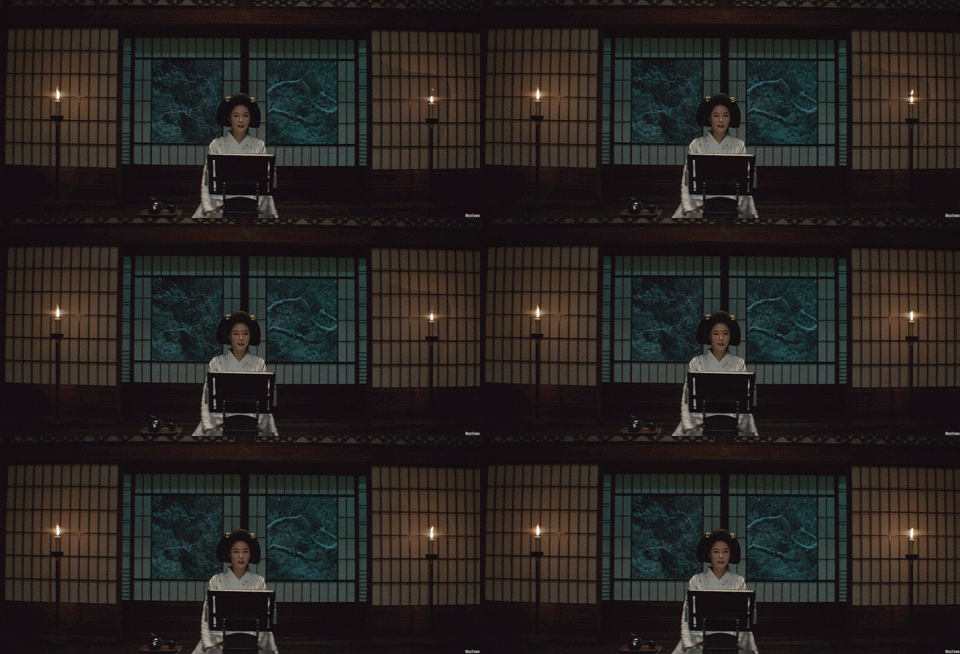
The Handmaiden is one of my favorite films because of how beautiful almost every shot it. The way the creator of this cinemagraph drew attention to the warm candles and the cold winter reminds me of why I love this film. The same could be said as the GIF from The Handmaid’s Tale, where the character is stuck in this position figuratively, and with this animation, literally.

I had to find a cinemagraph of an animal since I love the way animals move. I could sit for hours watching my dog, goats, chickens, or ducks since they all act and move so interestingly. I love the way this cinemagraph captures the movement of the dog’s ears in such a natural-looking way. Even though the rest of the dog is completely still, I would think this were a video if it didn’t loop!
Create: My Own Cinemagraphs!
Now that I had done the research, it is time for me to try out some on my own! Even though I was pinched for time, I wanted to go beyond stock footage so I decided to grab my camera and get shots of the Fern’s Meadow animals.
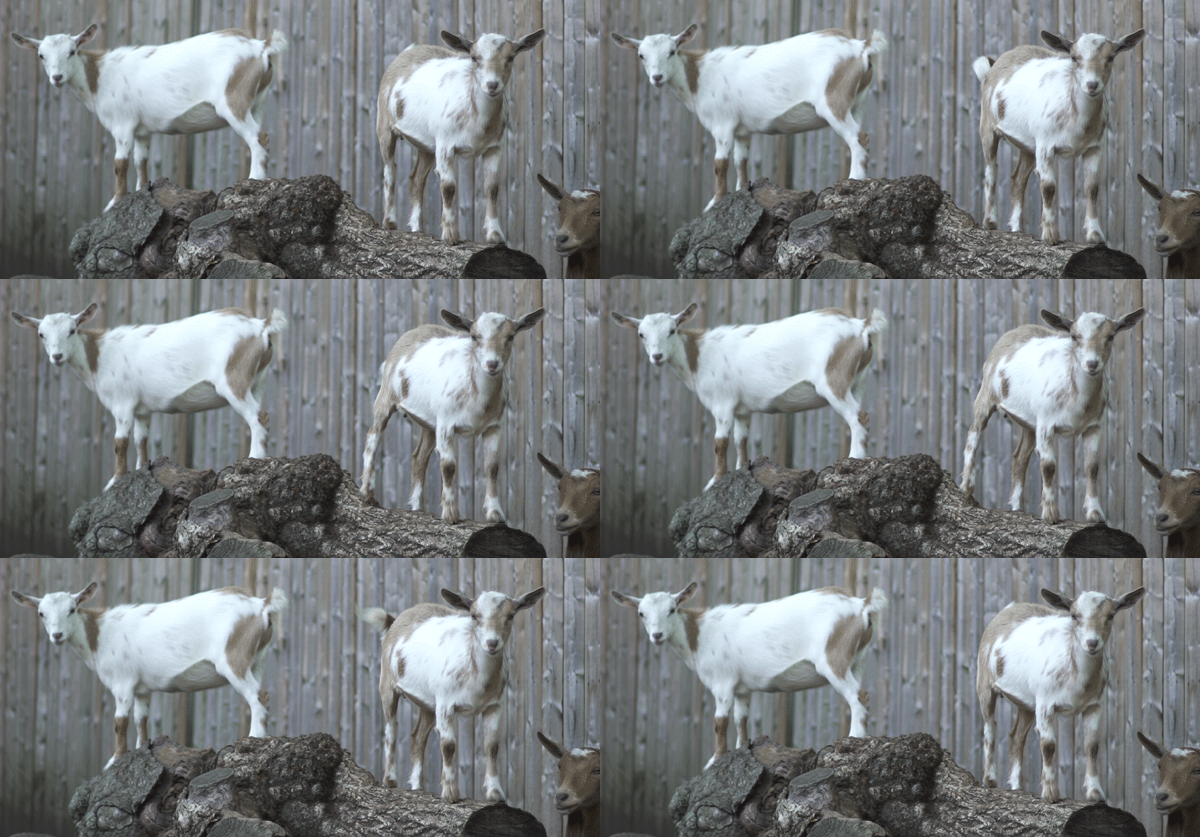
The first cinemagraph is of Rita-Katherine doing a cute little tail waggle and booty adjustment. For this one I deiced to use After Effects since it would be hard to make the GIF flow without the use of the reverse feature. After exporting the file to Photoshop I had an issue – I realized that I shot with over 200 frames per second, so when I exported it not only took up a lot of time and space, but the GIF was in slow motion. To fix this I had to do a quick Google search to find out how to change the timeline’s frame rate.

This next cinemagraph is my personal favorite. I used Photoshop to make a still of little Luna, masked out her snout, cut the footage in the middle and added a transition to make it flow, and viola – a cute little never-ending chew cycle. This was a much simpler process since it got rid of the extra step of exporting it from After Effects, but the reverse feature can be useful for other footage.
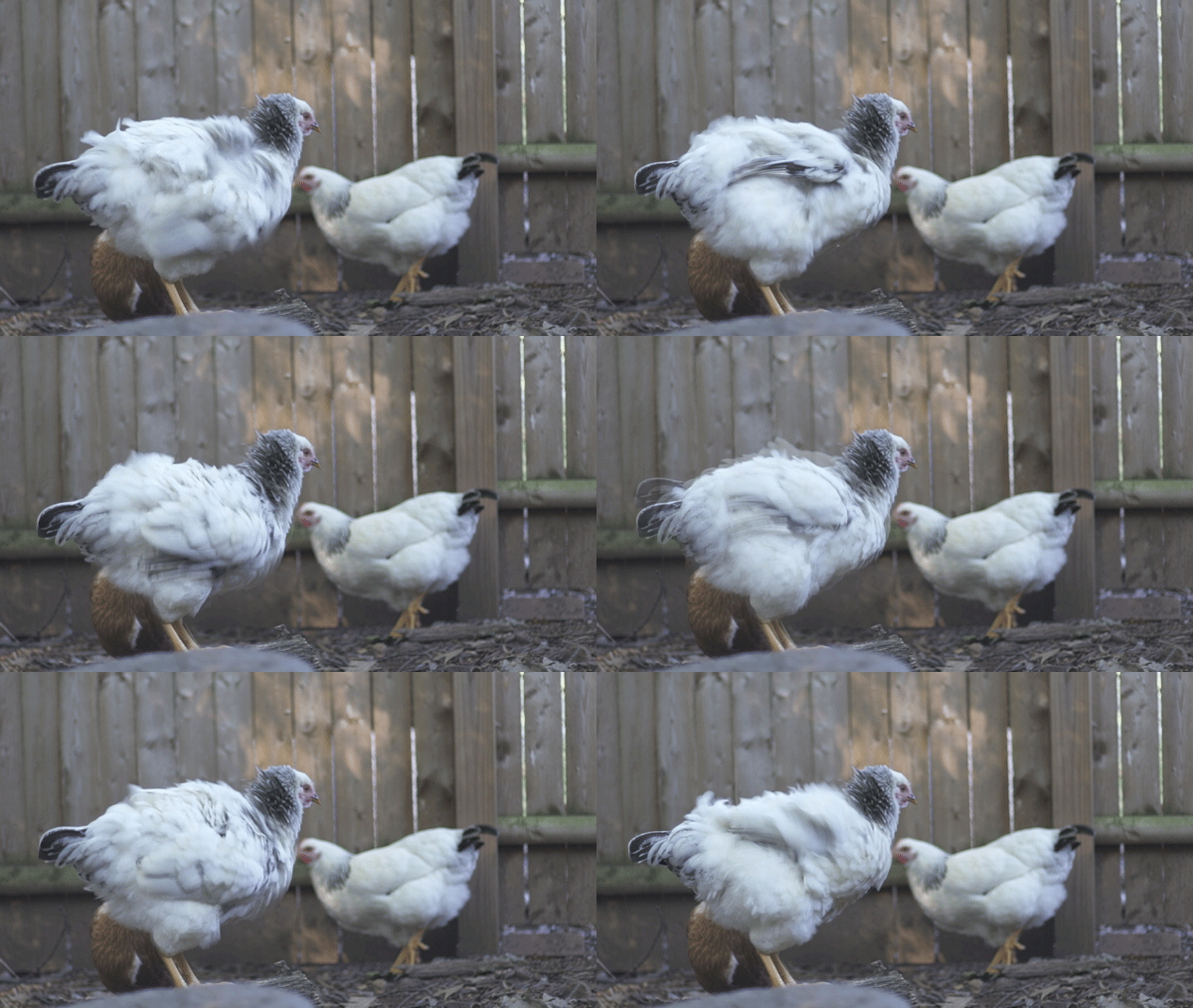
This last cinemagraph I also did in Photoshop. This one was by far the most difficult since it has the most movement. I had to very carefully use the lasso tool to make the selection for the mask so that I did not cut out too much movement while also making sure that the other chickens did not step into the boundary. Having a drawing tablet was very useful for this one. Even though I could probably make this look a little cleaner with more experience, I am happy with how it turned out for my third-ever cinemagraph.
Give me a follow if you would like to know more about motion design as I continue to learn different methods of animation and about the process of creating animations. This week I will be starting my project on stop-motion!
 Emma Lao
2 responses to “Motion Design Module 2: Mixing Motion”
[…] This week I begin the process of creating my very first stop-motion film. Before the actual creation, however, I need to do the pre-production which includes planning the story and making a storyboard. Read more about this process from my previous post. […]
LikeLike
[…] far Animated Storytelling by Liz Blazer has explained pre-production, storytelling, sound, and color for animation. In Chapter 8 she covers the final piece of the pre-production […]
LikeLike