This week I take the next step in solidifying my project by creating a detailed project plan. I also have begun my research on the platform of YouTube and the first episode.
Finding a Project Management System that Works for Me
To my surprise one of the things that took the most time this week was finding a project management system that works for me and the project I am working on. When I am in doubt, I turn to my Hobonichi first. I had purchased a Hobonichi Techo Avec for the use of personal projects which has unfortunately been left mostly blank – until now! I began the process of detailed project planning by breaking down each step from the content calendar I had made in my proposal into a schedule that looked reasonable.
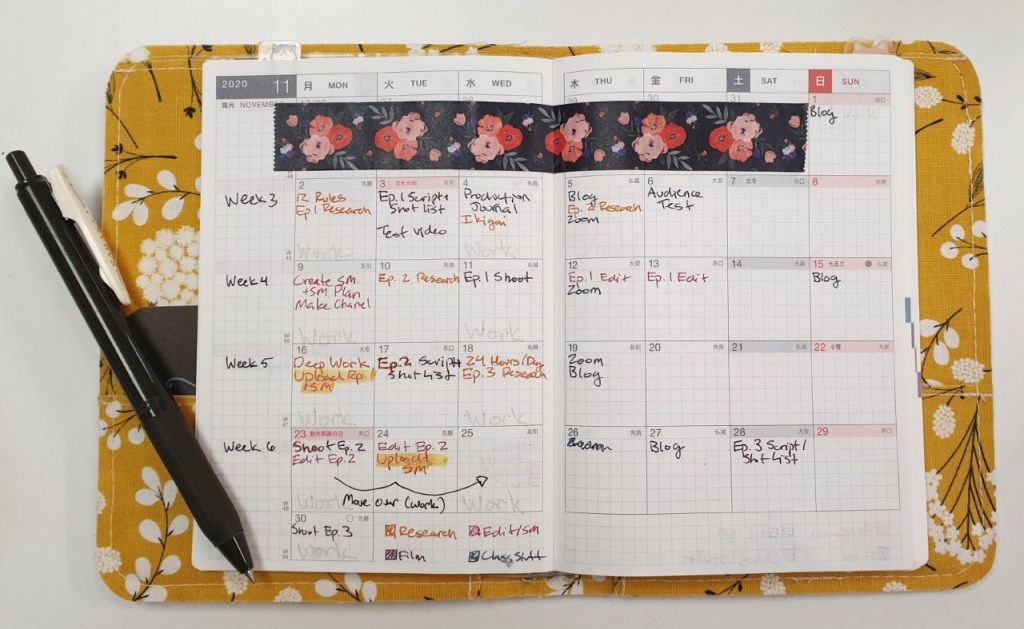
As always I color coordinated based on the type of task. In this case yellow is research, violet is filming, red is editing and social media, and the bluish-gray is tasks for my course. Even before I put my pen down I got a text from my boss saying that my schedule would be picking up so I adapted to it by moving some tasks around – this will no doubt have to happen again, but having an outline like this gives me much more clarity on what needs to be done when.
Next I began to look for a digital project management system where I could break down these tasks even more. I knew that I wanted a program that is easy to use, aesthetically pleasing, and has the ability to show me all the tasks that have to get done in a clear and organized way.
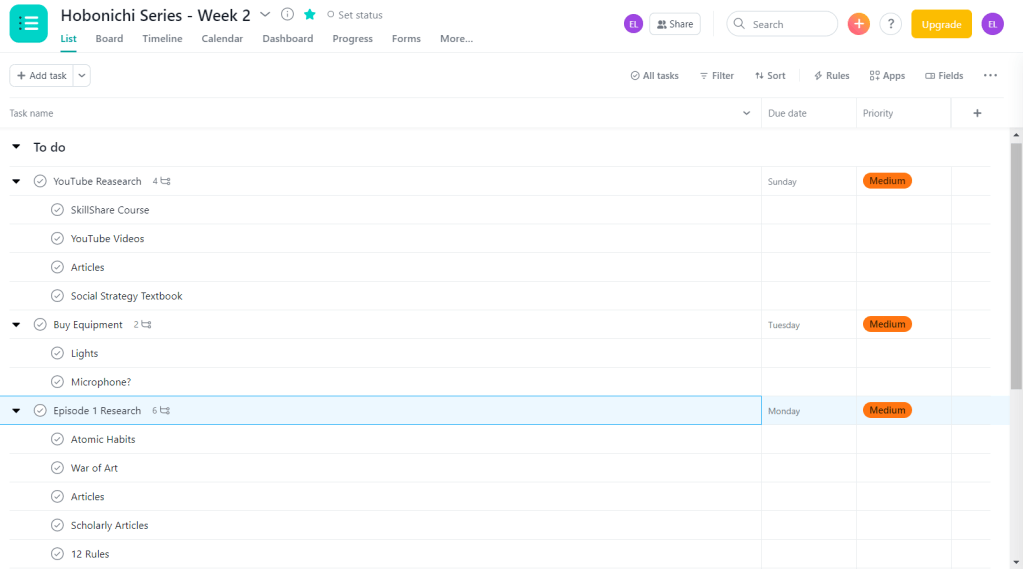
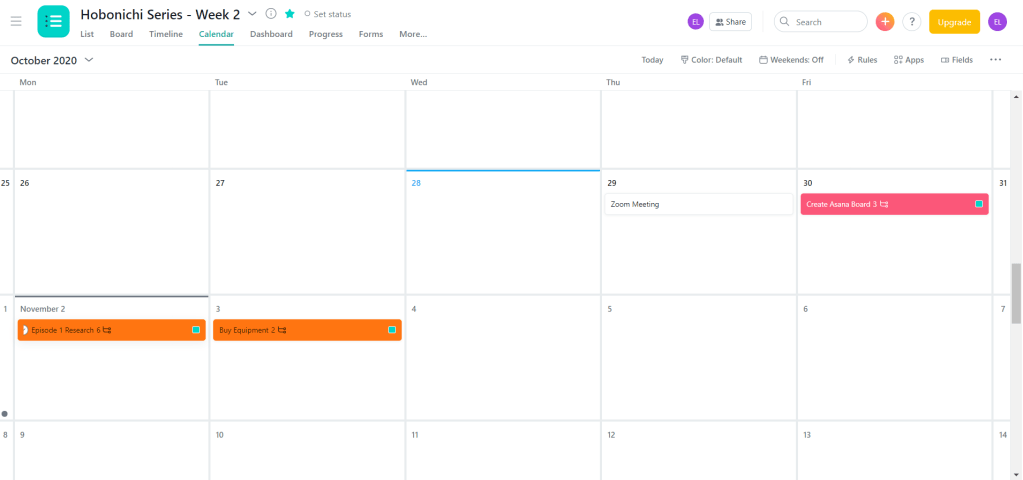
I began by creating an Asana account and adding the tasks for the first week. The tasks were easy to see and the program was easy to use, but there was something that didn’t sit well with me when it came to the way it looked and felt to use. The super-white background and minimal style made it feel…cold in a way, and very corporate. This project is about instilling my creativity into creating systems that make it easy to reach your goals – and Asana was not letting that creativity through.
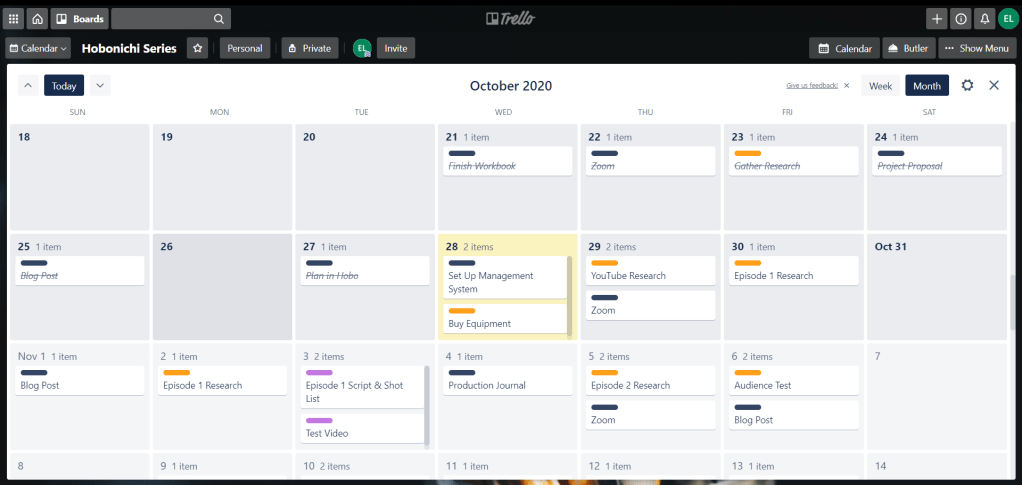
The next system I tried was one that I had used in the past with some success – Trello. I found that creating the tasks in this program made a lot more sense. Rather than having a different screen for each week, the entire project can be seen at once. I can also see everything I need to at a glance – the category a task belongs to, the number of subtasks, and the due date for each task.

When I click the task it breaks it down even further into the subtasks. By rule of thumb I try to keep things as simple as possible – if I know that certain things need to be done for a task to be completed, it is not necessarily worthy of being a subtask – but if it takes an ample amount of time then I will add it in.

Trello also makes it much easier to categorize tasks by color so the overview is as simple as possible to follow. I assigned colors that matched the ones I had made in the Hobonichi for some consistency across the board.

Trello also has calendar views that look much nicer to me than the Asana one – in both the weekly and monthly view everything is as clear as it can possibly be.

In this document I created an explanation my project plan. Feel free to download and read it here:
Research Phase Two: YouTube Best Practices & Habits
The latter part of my week was spent researching and taking notes on the sources I found last week. I began with looking at all of the articles, videos, and books that I had gathered that focused on YouTube best practices and growing/maintaining an audience.
Two HootSuite articles that I found very helpful for things to keep in mind as I create my channel and videos are “The Complete Guide to YouTube Marketing in 2020” and “YouTube Analytics: A Simple Guide to Tracking the Right Metrics”. They made it clear that I need to conduct a competitive analysis, use my community tab, keep retention high by having short intros and getting right to the point, and utilize keywords to their full potential.
An article that was helpful in the same vein was “YouTube SEO: How to Rank YouTube Videos in 2020″ by Brian Dean. In this article he outlines the four key elements that must be addressed to create a successful channel: keyword research, high-retention rate, video optimization, and video promotion.
The source that made me the most excited to get my channel started was the SkillShare course “YouTube Success: Build an Authentic Channel That’s Worth the Follow” by Sorelle Amore. This course focused more on building who you want to be on your channel and how to incorporate that into a system that will grow an audience.
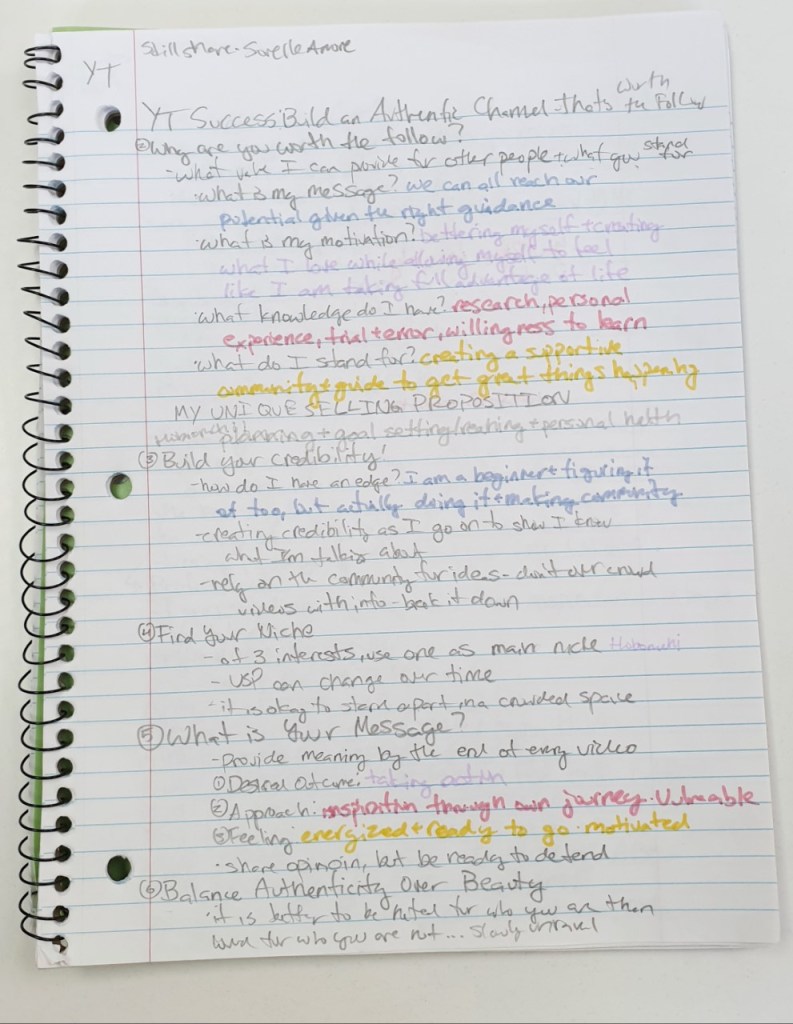
I also began the research for my first video. This research focused on habits that will make you a better person who does what they want to do. First I read The War of Art by Steven Pressfield. This book discussed the problem of resistance and outlined how professionals thrive despite it.
For the first episode I will stress the importance of treating your passions as a full-time job where you show up everyday, show up no matter what, stay on the job all day (or in the case of practicality, in the time you allot), and are committed over the long haul. I will especially focus on how important it is to show up every day and to be patient with yourself since the “goal is no victory but to handle [your]self, [your] insides as sturdily and steadily as [you] can” (Pressfield, 82).
The next book I read, Atomic Habits by James Clear, also shows how important it is to show up every day, especially on the days where it seems impossible. The book is broken down into five parts: the fundamentals and the four different steps to making a habit stick. In the fundamentals, Clear explains that there are two systems of behavior change; goal-based habits that focus on changing the outcomes, then your behavior, then your identity and identity-based habits which work from the inside out.
He also says that systems are much more important than goals and every habit includes four steps: a cue (making it obvious), a craving (making it attractive), a response (making it easy), and a reward (making it satisfying). The rest of the book breaks down how to make your habit work based on those steps.
Both of these books will serve as a foundation for the habit tracking and long-term goal section of the first episode. Stay tuned to see more progress in the upcoming weeks!
 Emma Lao
One response to “Project Planning for Content Creation”
[…] order to take stock of what needs to be done every week I have already created my project management system, but now I want to record how long each component took and how I felt about the task in a weekly […]
LikeLiked by 1 person